Trusted by 200+ compliance teams















Chasing documentsis where KYB reviews stall
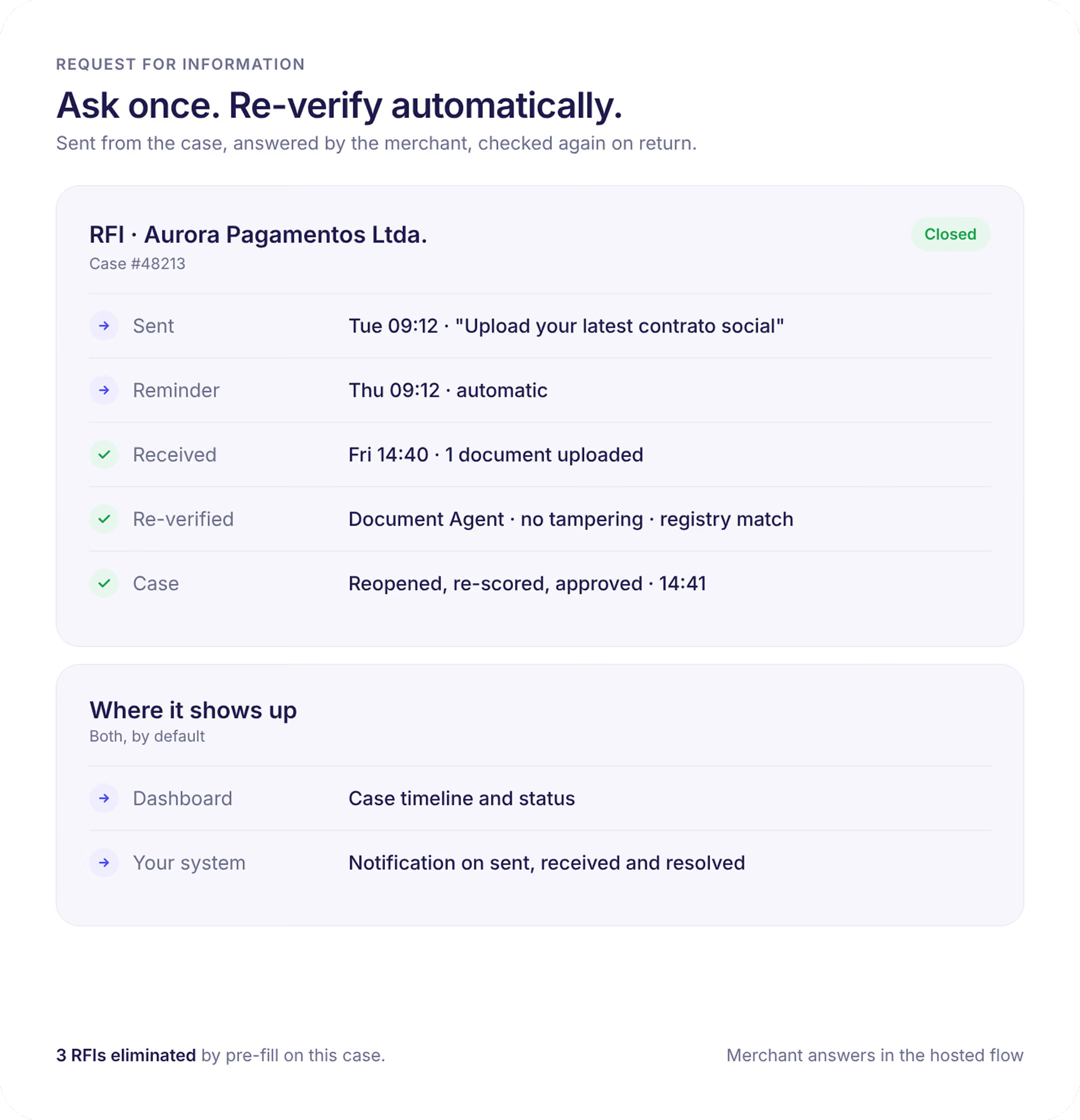
RFI keeps the whole exchange inside the case: what was asked, when, what came back, and whether it passed.

Nobody knows who has replied
Nobody knows who has replied
An analyst with fifty cases in review cannot tell who has replied and who has not without a spreadsheet, five tags, and a Slack alert.
Attachments move by hand
Attachments move by hand
Requests go out by email, replies come back by email, and the attachment has to be downloaded and uploaded into the case by hand.
Email skips the checks
Email skips the checks
A document that arrives by email skips the fraud and authenticity checks the original upload went through.
What an RFI can ask for
An RFI can target the entity itself or any related person or company in the case. The case stays incomplete until every requested item is in, so nothing is approved with a gap.
Documents
Documents
Shareholder agreements, tax filings, bank statements, licences, proof of address, or any custom document type you define. Each upload runs through the same authenticity checks as onboarding.
Corrections
Corrections
Ask the applicant to fix a field that failed verification: a legal name that does not match the registry, an outdated registered address, a wrong registration number.
Clarifications
Clarifications
Free-text questions the applicant answers in the flow: nature of business, source of funds, purpose of the account, or an explanation for a screening hit.
People
People
Request a missing director or UBO, or send an ID and selfie request to a specific related person who has not completed their check.
How it works
Links stay valid for 30 days by default, up to 90, and can be renewed from the case if they lapse.
Request
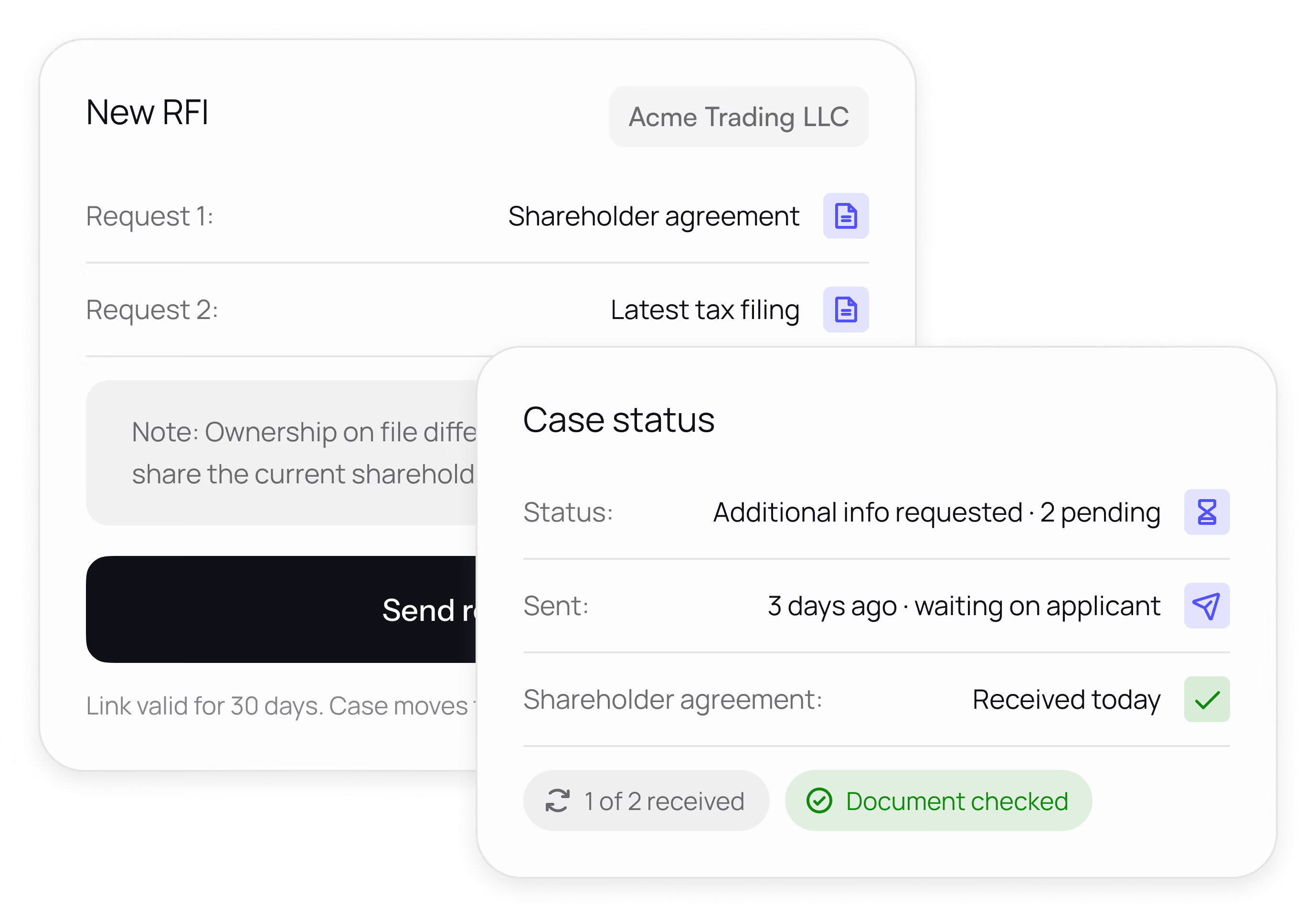
From the business case, the analyst picks the items needed, adds a note, and sends. The case moves to Additional Info Requested and the request is logged on the timeline.
Respond
The applicant opens a secure link in the same branded onboarding flow, sees only what was asked for, and uploads or answers. On-device checks catch blur, wrong document type, and expired documents before they submit.
Review
The reply attaches to the case with extracted data and authenticity results, and the case moves back to Ready for Review marked “RFI submitted”. The analyst decides with everything in one place.
Built for teams with a queue, not a case
Who owes what
Who owes what
The review board separates cases waiting on the applicant from cases waiting on your team, with a count of items pending on each card.
Templates
Templates
Save common requests, such as the standard pack for a high-risk industry or a mismatch on ownership, so analysts send a complete RFI the first time.
Notifications
Notifications
Know the moment a reply arrives. Events fire by webhook and to Slack or email, so nobody refreshes a queue waiting for a document.
Audit trail
Audit trail
Every request, reminder, submission, and decision is timestamped on the case timeline, so you can show a regulator exactly what was asked and when it was answered.
Fewer round tripsfor every market
Payments
Collect a missing licence or bank statement from a merchant without leaving the case.
Neobanks
Turn a mismatch on ownership into a one-click request instead of an email thread.
Financial institutions
Evidence every information request in the customer file for audit.
Stablecoins and crypto
Ask institutional counterparties for source-of-funds detail in a structured, checked flow.
Lending
Request the last set of accounts or a guarantor's ID before disbursement.
Marketplaces
Chase seller documents at scale with clear counts of who has replied.
What teams see after switching
“What stood out the most about AiPrise was the combination of flexible technology, full coverage, and responsive support.”

In the dashboard orin your own systems
Dashboard
Create and track RFIs from the business case and the review board. No setup beyond your existing onboarding template.
API and webhooks
Create an RFI programmatically and receive events when the link is created, opened, and submitted, so your own CRM or support tool stays in sync.
Your channel
AiPrise generates the link. Send it through your own email or messaging if you would rather the applicant hear from you.