Trusted by 200+ compliance teams
Onboarding is where you lose customers and time
The AiPrise SDK gives you a tested, high-conversion flow on day one, and puts every step in the hands of the compliance team instead of the release calendar.

One flow for every country
One flow for every country
One flow for every country asks a UK business for an EIN and a Brazilian user for a Permanent Resident card they do not have. Customers get confused and drop off.
Every change waits for a release
Every change waits for a release
Every compliance change, a new document type or a new market, waits for the next release.
Bad captures bounce back
Bad captures bounce back
Blurry uploads, wrong document types, and expired proofs of address bounce back to the customer and into your review queue.
What the SDK collects and checks
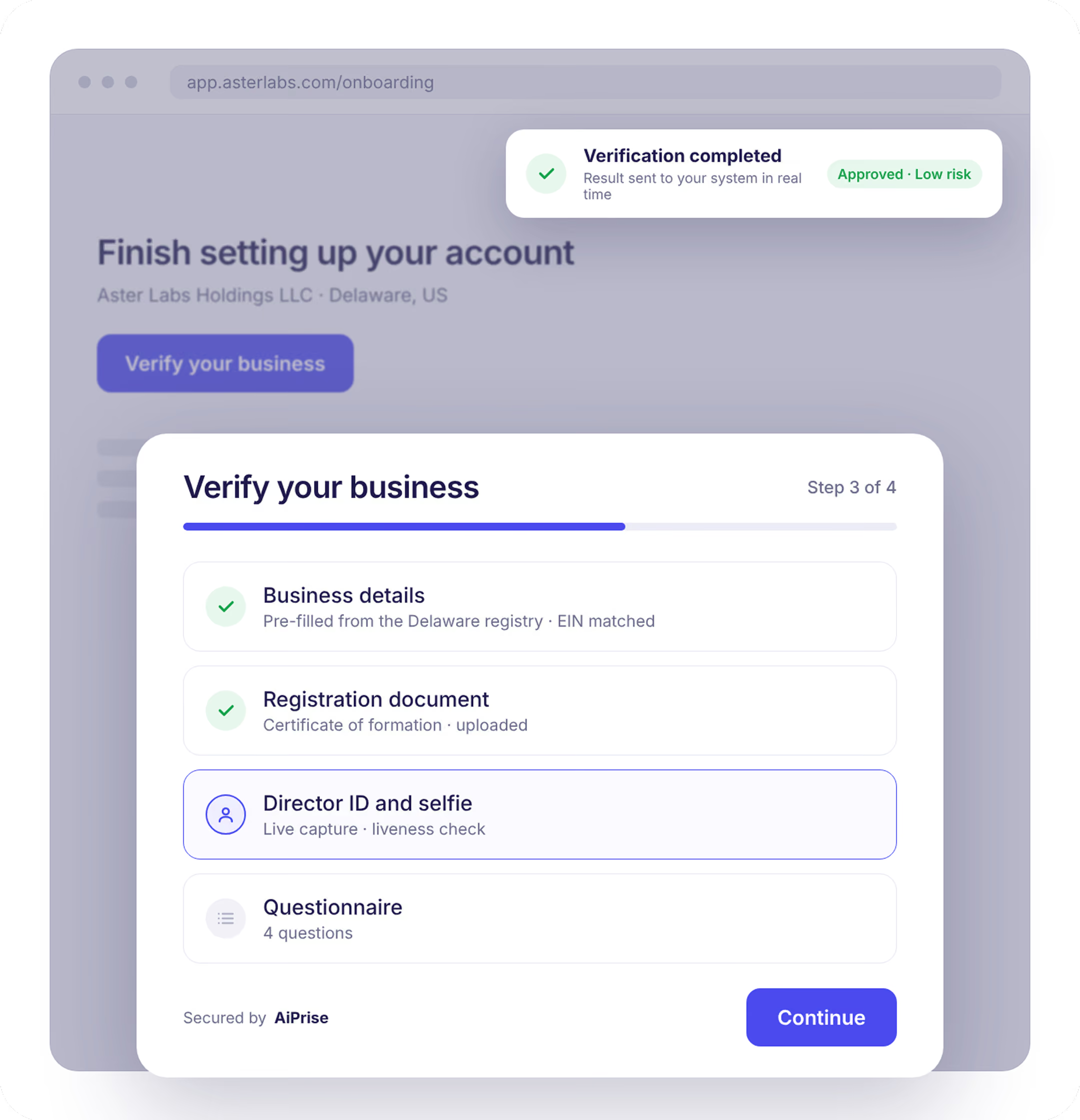
The same SDK runs KYC and KYB. A business flow collects company details and documents, then hands off to ID and selfie steps for directors and UBOs, all in one session.
Capture with on-device checks
Capture with on-device checks
Guided capture of IDs and business documents. Blur, glare, cut-off edges, the wrong document type, or a proof of address older than 3 months are flagged on the device, so the customer fixes it in the moment instead of days later.
Pre-fill
Pre-fill
Pass in anything you already hold and customers confirm instead of retyping. For businesses, a company number pulls name, address, and directors from the registry so the rest of the form fills itself.
Personal and business data
Personal and business data
Name, date of birth, contact details, address, and business details, each field required, optional, or hidden. Address autocompletes as the customer types.
Questions and extra documents
Questions and extra documents
Rule-based question groups and additional document requests such as proof of income or tax certificates, shown only when your logic calls for them.
How it works
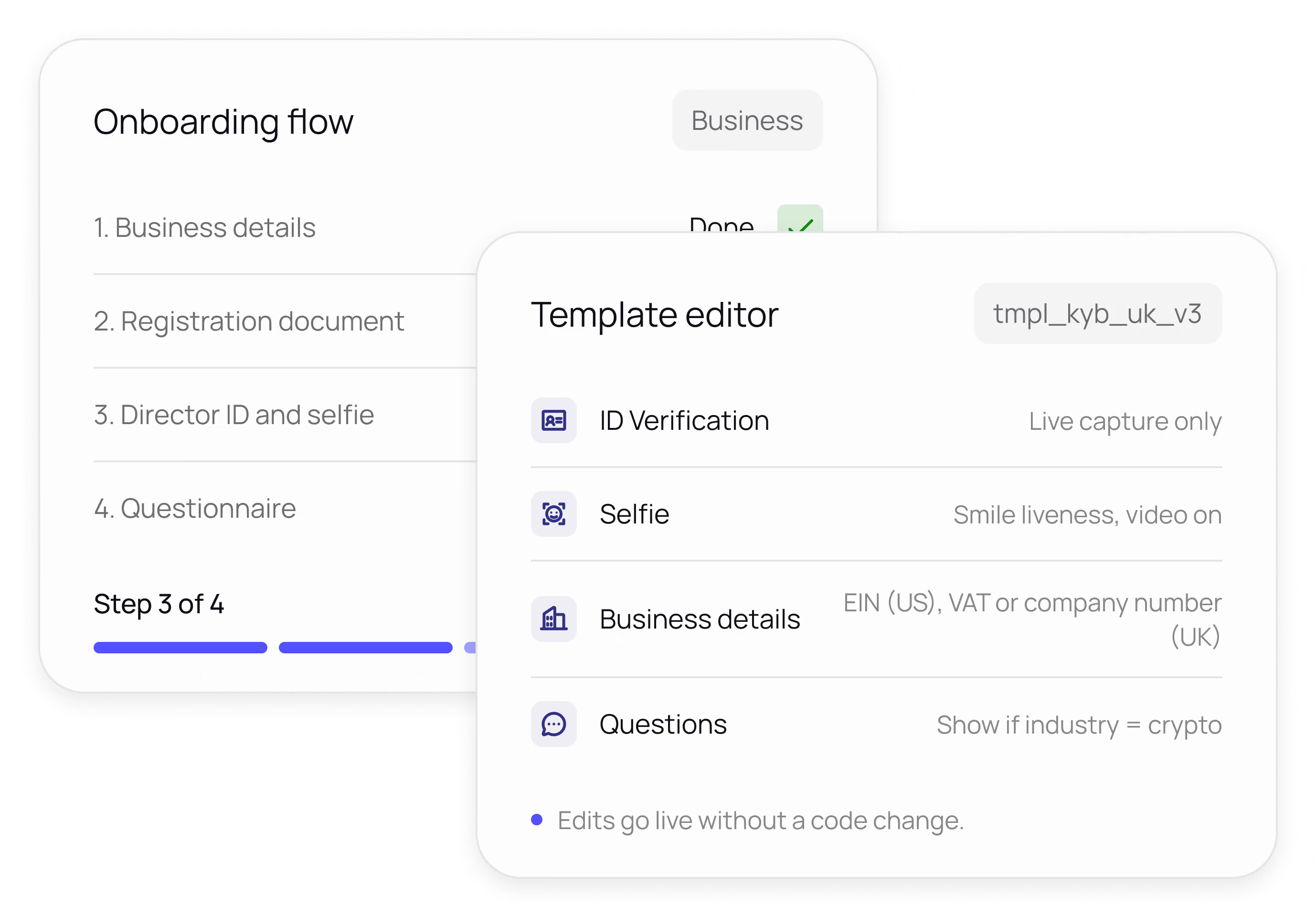
Change the template later and the live flow updates. No engineering ticket needed.
Configure
Build a template in the dashboard: pick the modules, set the order, add conditional logic, and choose accepted documents and countries. No code.
Embed
Add the web component, native iOS or Android SDK, or a hosted link. The flow launches in your app with your logo, colors, and language, and asks for the identifiers and documents that apply in the customer's country.
Receive results
Verification results, extracted data, risk score, and any review decision arrive by webhook and appear in the dashboard the moment the customer finishes.
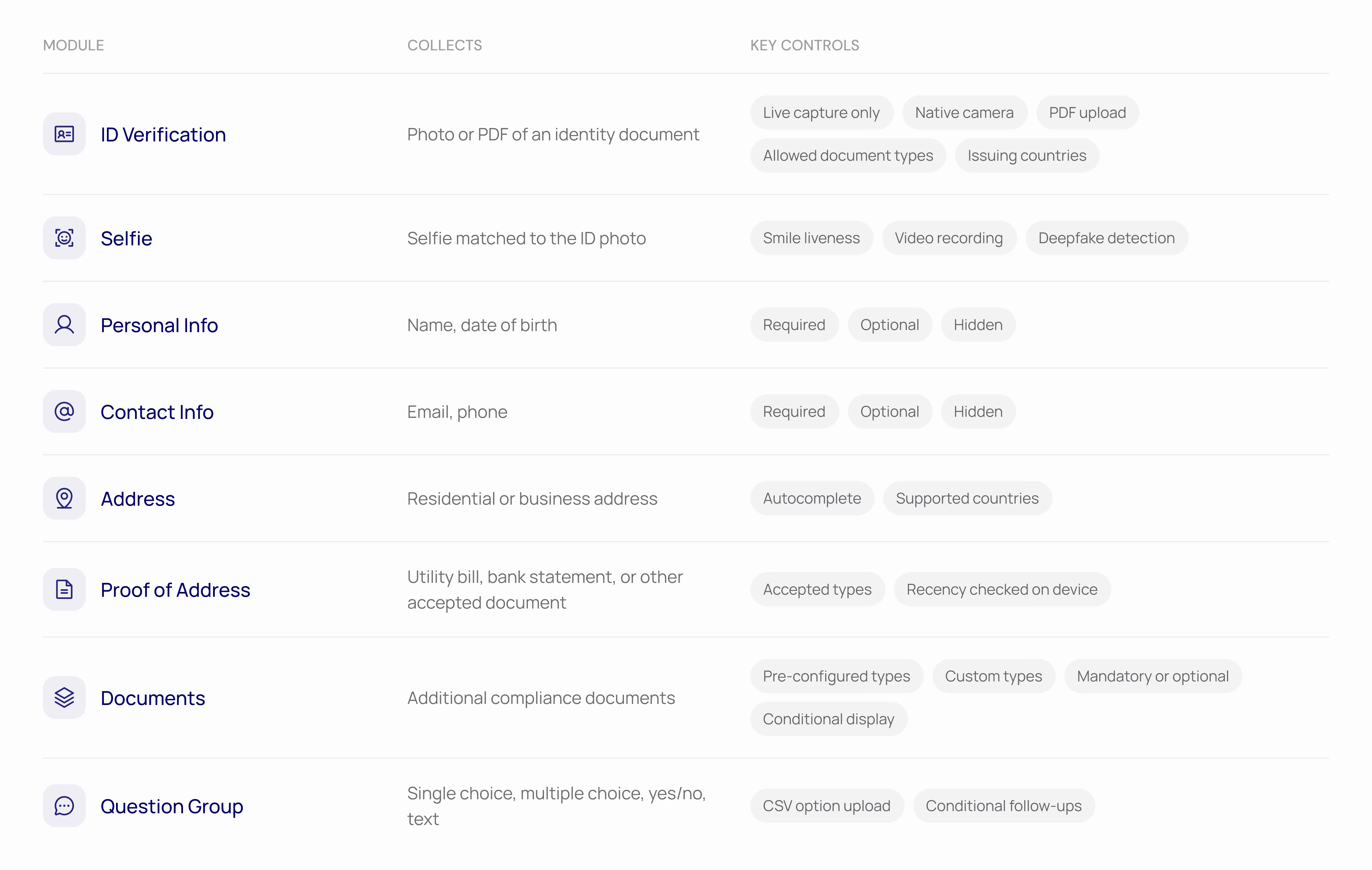
Modules you canswitch on
Each module is configured independently and can be shown conditionally based on earlier answers, country, or risk.
Owned by compliance, not the release calendar
No-code templates
No-code templates
Create a template per product, market, or risk tier. Reorder steps, change accepted documents, and publish from the dashboard.
Your brand, their language
Your brand, their language
Logo, colors, and copy match your app. The flow languages and adapts to the customer's device.
Conditional logic
Conditional logic
Show a module or a question only when earlier answers, country, or risk score call for it. Low-risk customers see fewer steps.
Localized by market
Localized by market
The flow adapts to the customer's country: an EIN in the US, a VAT or company number in the UK, a CNPJ in Brazil, and only the ID and document types that exist there. Geofencing restricts onboarding where you do not operate.
One flowfor every market
Payments
Onboard merchants with company documents and director checks in a single session.
Neobanks
Mobile-first account opening with liveness and instant ID checks.
Financial institutions
Different templates per jurisdiction, one integration.
Stablecoins and crypto
Add deepfake-resistant liveness and geofencing for restricted markets.
Lending
Collect proof of income and address alongside identity in one flow.
Marketplaces
Verify sellers before their first listing without building a KYC screen.
Integratein an afternoon
Web
Drop in the button component to launch the flow in a modal, or the frame component to embed it inline. About five lines of code.
iOS and Android
Native SDKs optimized for mobile capture, with the same templates and results as web.
Hosted link
Send customers a link to a fully hosted flow. No integration required to get started.